Tempo & Clock
The Tempo screen controls BPM, shuffle, time signature, and clock routing. Navigate to it from the Mixer (last track page →) or from Global Sound (←).
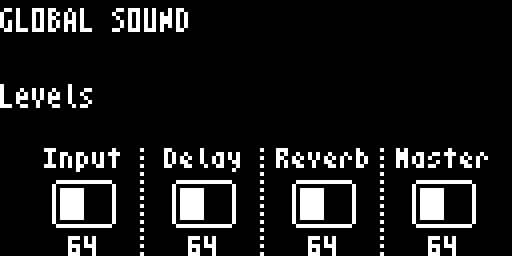
Parameters
| Knob | Label | Range | Description |
|---|---|---|---|
| Knob 1 | BPM | 30–300 | Tempo in beats per minute |
| Knob 2 | Shuff | 0–100% | Shuffle amount |
| Knob 3 | Measure (top) | 1–16 | Time signature numerator |
| Knob 4 | Measure (bottom) | 1–16 | Time signature denominator |
The time signature is displayed as a fraction (e.g., 4/4). Knob 3 controls the top number and Knob 4 controls the bottom number.
BPM Display
The BPM display changes based on clock source:
- Internal — shows the set BPM value (adjustable)
- External MIDI — shows
EXT(BPM is controlled by incoming clock) - Ableton Link — shows the Link tempo (read-only)
BPM Nudge
The step buttons provide quick BPM nudge offsets while held:
| Steps 1–8 | Steps 9–16 |
|---|---|
| −8, −4, −2, −1 | +1, +2, +4, +8 |
Clock Source & Routing
Clock source (internal / incoming MIDI / USB / Ableton Link) and clock output routing are configured from the Settings → MIDI menu, not from the Tempo screen. See MIDI Settings.
Navigation
| Action | Result |
|---|---|
← | Back to Mixer (last track page) |
→ | To Global Sound |