Project Menu
The Project menu manages saving, loading, and creating projects, as well as kit selection and track setup. Access it with FUNC1.
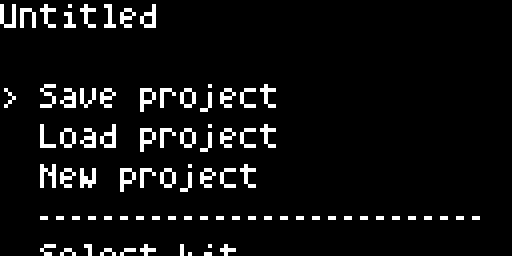
Menu Items
| Item | Description |
|---|---|
| Save project | Save the current project to SD card |
| Load project | Browse and load a saved project |
| New project | Clear all tracks and start fresh (with confirmation) |
| Select kit | Choose a sound kit (see below) |
| Change track setup | Load a track template (see below) |
| Settings | Open the Settings menu |
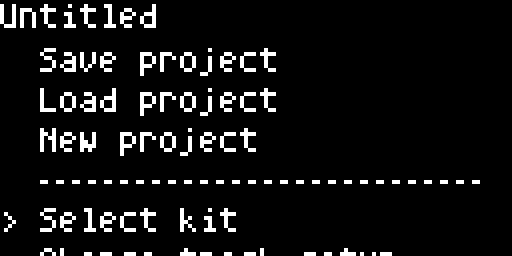
The title bar shows the current project name (or “Untitled” / “Slot N” if unnamed).
Navigation
- ↑/↓ — scroll through menu items
- → or Knob 1 click — select/enter item
- ← — go back
Select Kit
Opens a list of available sound kits. Each kit defines a set of sound engines and presets for all tracks. The currently active kit is marked with <. Select a kit and press → or Knob 1 to apply it.
Change Track Setup
A track setup (or template) is a complete 16-track arrangement: which Machine each track runs, which sound preset is loaded, and per-track defaults. It’s the fastest way to reconfigure all 16 tracks at once — switch from a drum-heavy kit to an all-sampler setup without rebuilding tracks one by one.
Opening the menu shows a two-page browser:
- Template list — all available setups. Factory templates shipped with the device are marked
(F). User-saved setups appear without a tag. The currently active setup shows a<marker. -
Confirm — select a template and press
→to open the confirm screen:Option Result Back Return to the list without applying Apply Load this template into the current project now Set as default Make this template the default for new projects
Factory templates
| Template | What it does |
|---|---|
| default | The standard tbd 16 kit — synth kick, FM kick, snares, hats, claps, rimshot, TBD03, mono synth, wavetable, polypad, audio input, plus Rompler tracks for samples. |
| sampler | All Rompler — ideal for sample-based production. Most tracks load Rompler across multiple banks. |
Apply rebuilds the track layout of the current project. It does not overwrite sequencer patterns, but tracks that change Machine will load fresh default parameters. Save the project first if you want to keep the old setup.